All about Skill Sets

Written by Medha Anand
Updated on October 26th, 2021
- Getting Started
- Bot Building
- Smart Agent Chat
- Conversation Design
-
Developer Guides
Code Step Integration Static Step Integration Shopify Integration SETU Integration Exotel Integration CIBIL integration Freshdesk KMS Integration PayU Integration Zendesk Guide Integration Twilio Integration Razorpay Integration LeadSquared Integration USU(Unymira) Integration Helo(VivaConnect) Integration Salesforce KMS Integration Stripe Integration PayPal Integration CleverTap Integration Fynd Integration HubSpot Integration Magento Integration WooCommerce Integration Microsoft Dynamics 365 Integration
- Deployment
- External Agent Tool Setup
- Analytics & Reporting
- Notifications
- Commerce Plus
- Troubleshooting Guides
- Release Notes
Table of Contents
Create Skill SetUse Smart SkillsCreate a Custom SkillActivate/Deactivate a Skill SetSkill Set
A Skill Set is a collection of skills that enable your IVA to handle queries that need a complex conversational journey. These skills help the user to resolve their queries. A Skill Set aligns with the overall goals of the IVA.
On Conversation Studio, a varied array of these skills are already present and are known as Smart Skills. You can read more about them here.
Create Skill Set
To add a new Skill Set to your IVA, click on Create new Skill set button. Provide a name to your skill set.
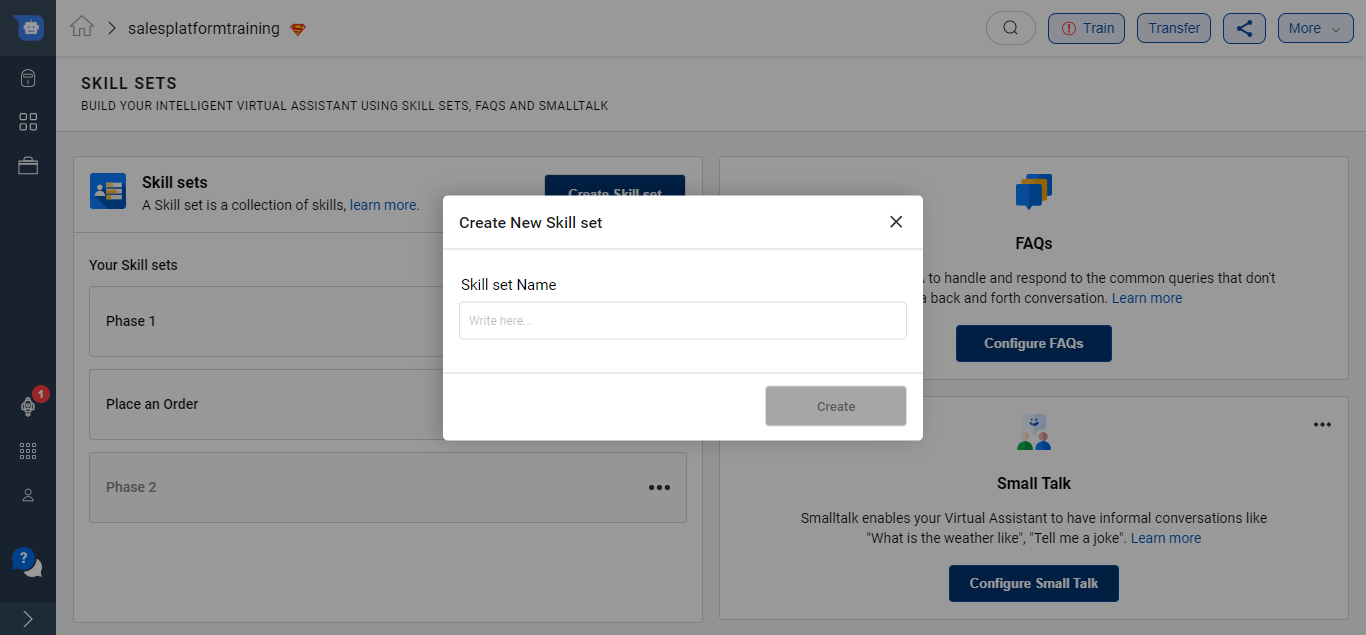
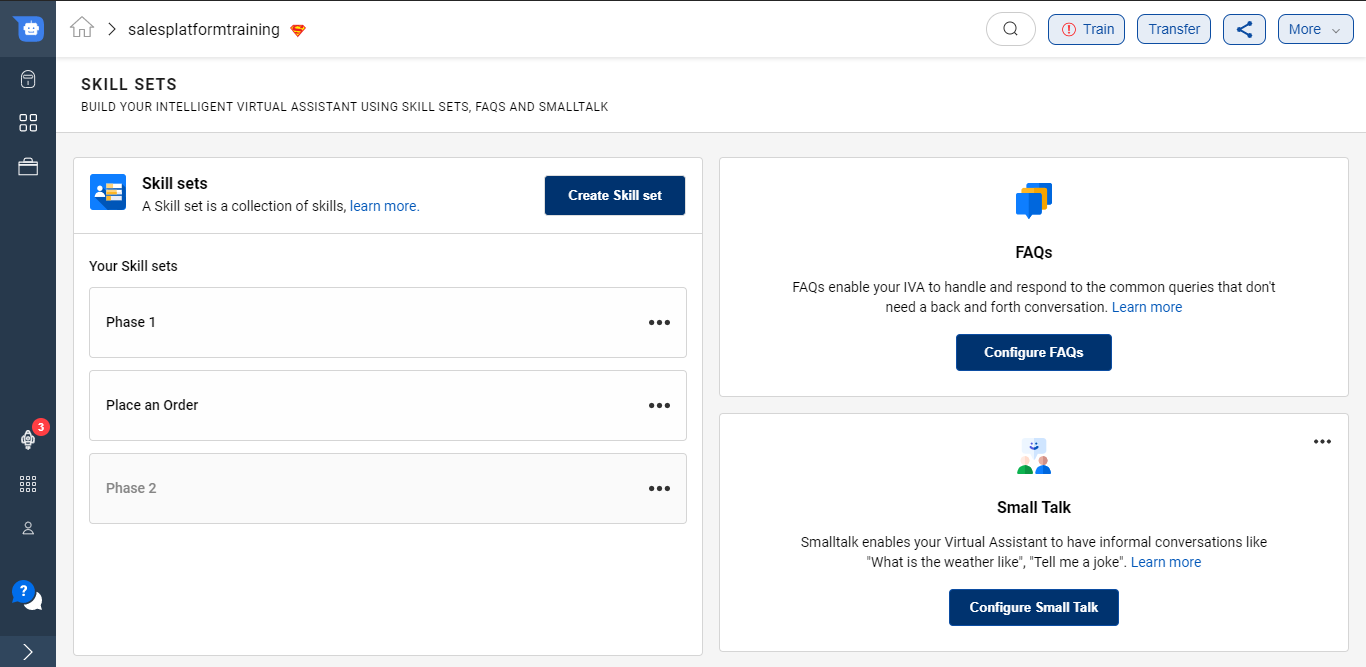
Once you give a name you will be able to see the following screen -
Use Smart Skills
Click on the Skill Set to go inside and add skills to the respective skill set. Skills are the smaller tasks that help to accomplish the broader Skill sets.
Click on the +Add Skills button to add required skills on the IVA. As soon as the button is clicked, a modal would open showcasing all skills available on the platform.
These smart skills are available for specific industries like Ecommerce, Insurance, and Telecom. There are also few Generic ones that are most widely used in all IVAs.
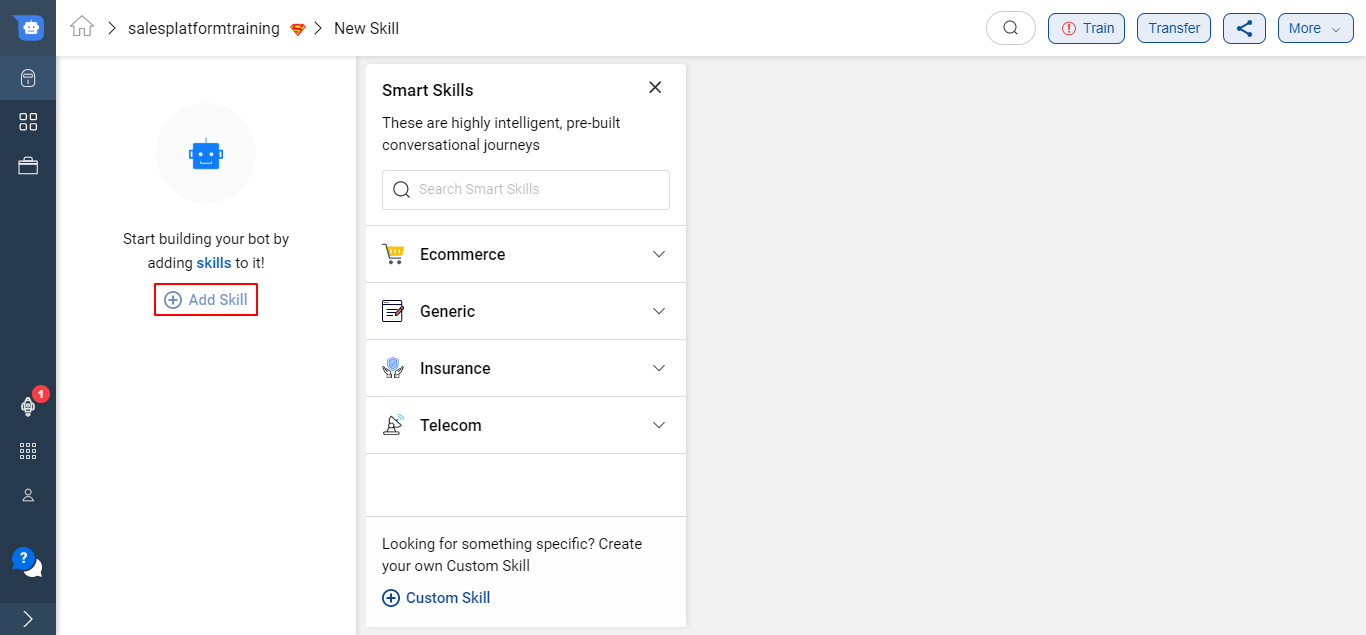
There is a Search option available to look for your desired Smart Skill as well.
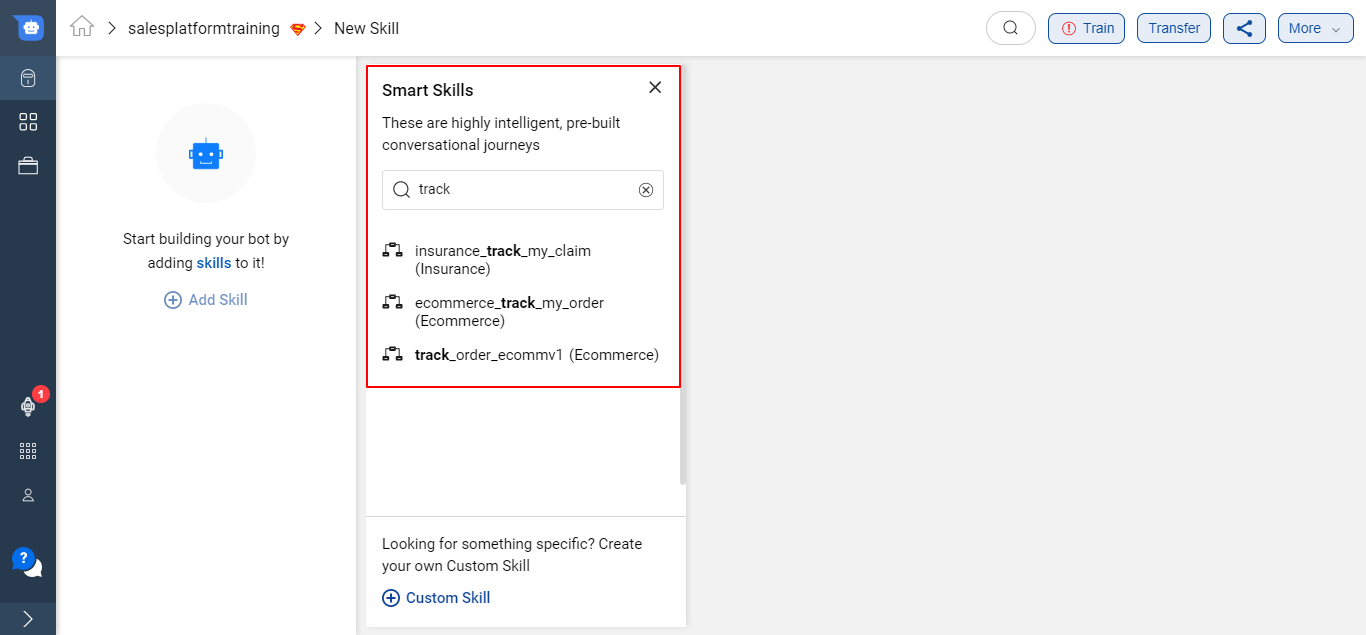
Once you click on any Smart Skill, a pop-up modal opens up which mentions all the details about the Smart Skill.
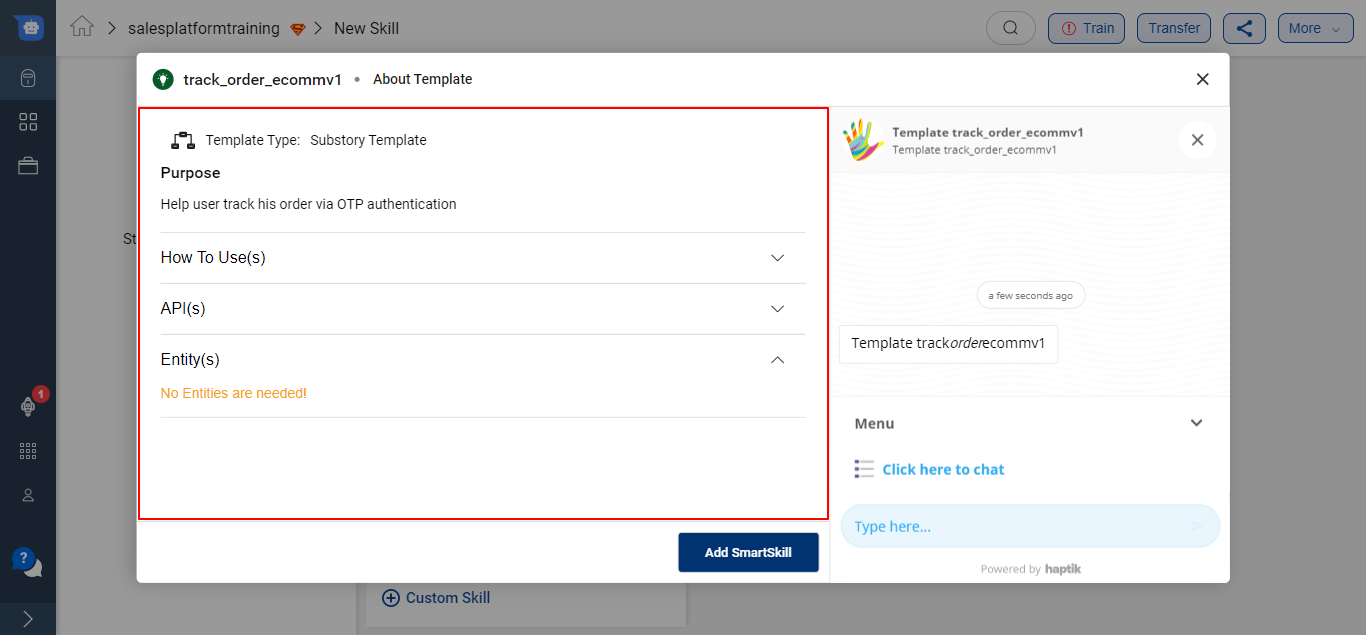
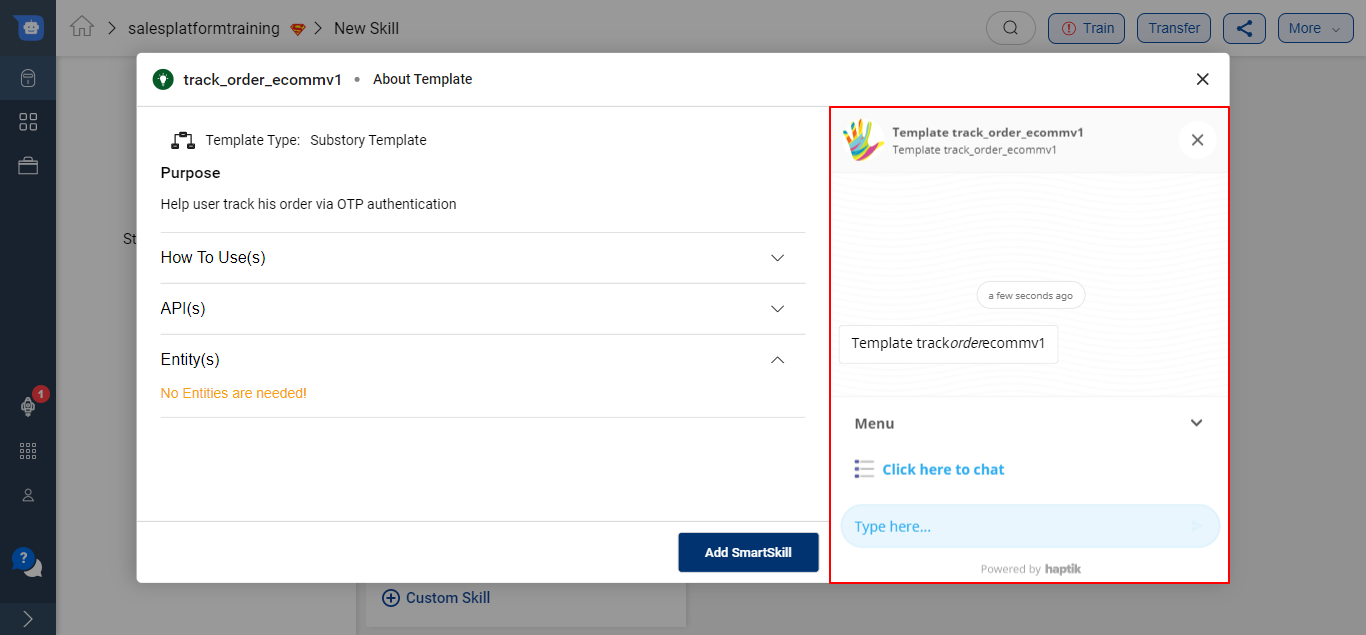
You can also test out the Smart Skill under the modal before using it in your IVA. This preview and test option helps to understand the capabilities of the skill in more detail.
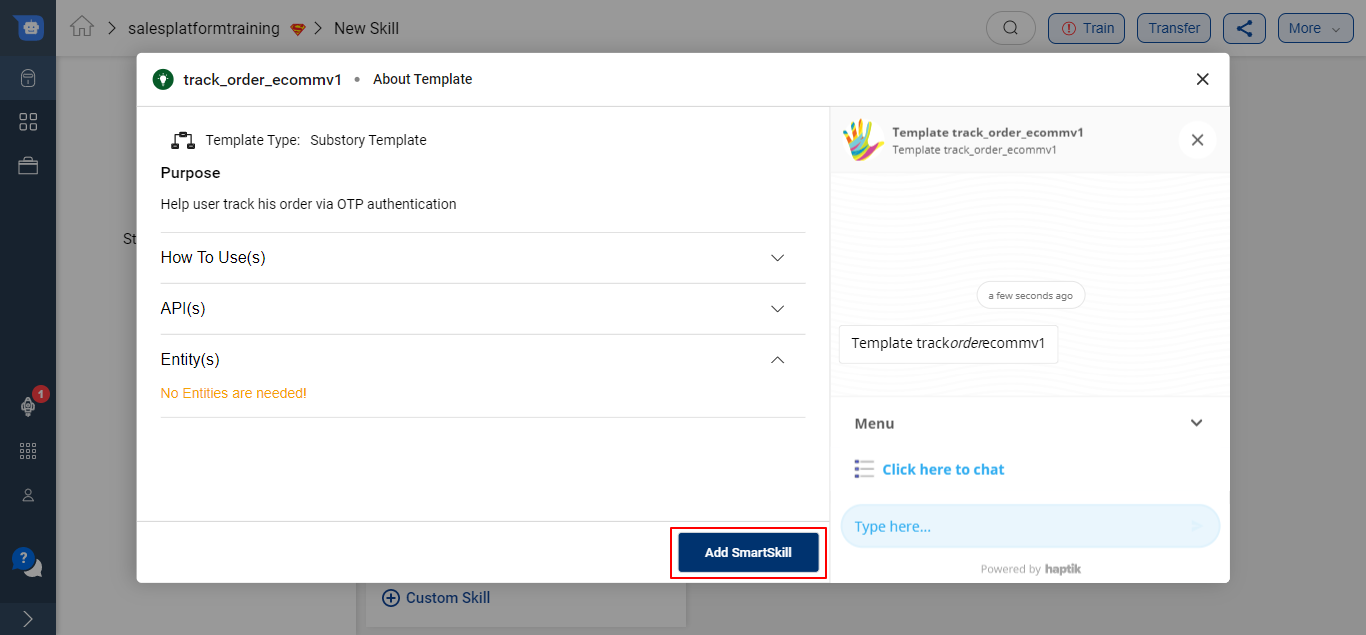
Once you have tested the Smart Skill and if it aligns with your use case, go ahead and click on the Add SmartSkill button.
The entire Smart Skill will be imported on your IVA as shown below -
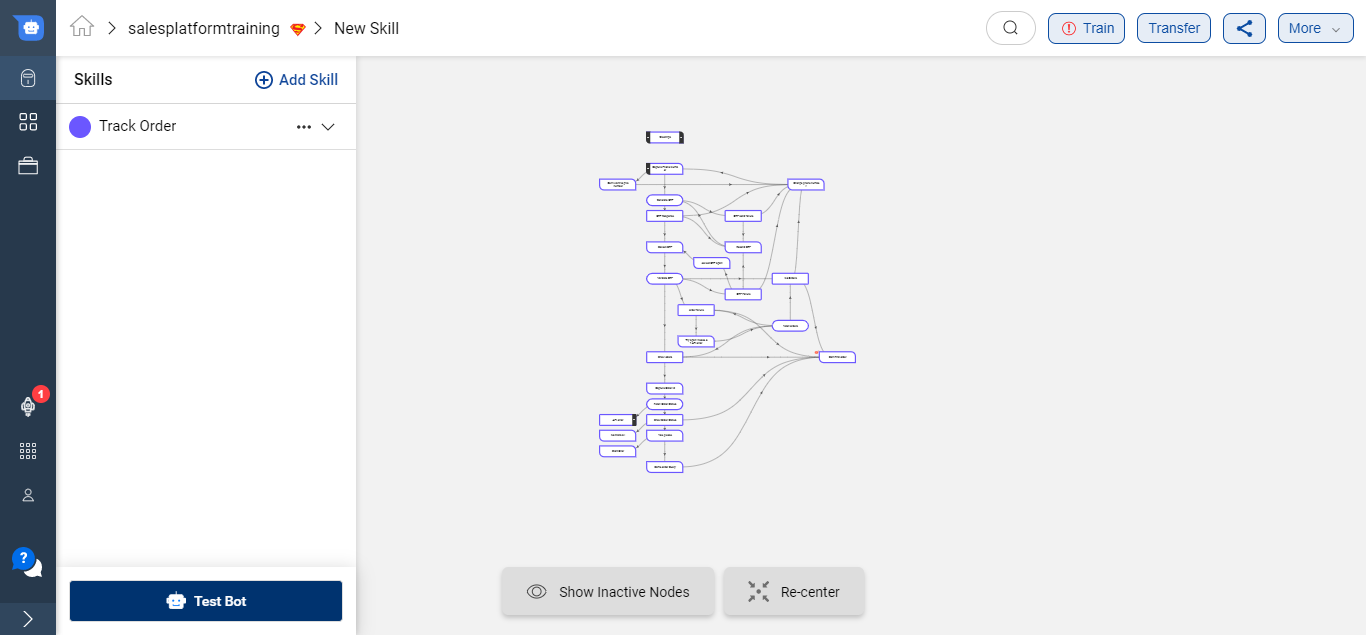
On the left-hand side, you will be able to see the list of all the Skills added to your IVA.
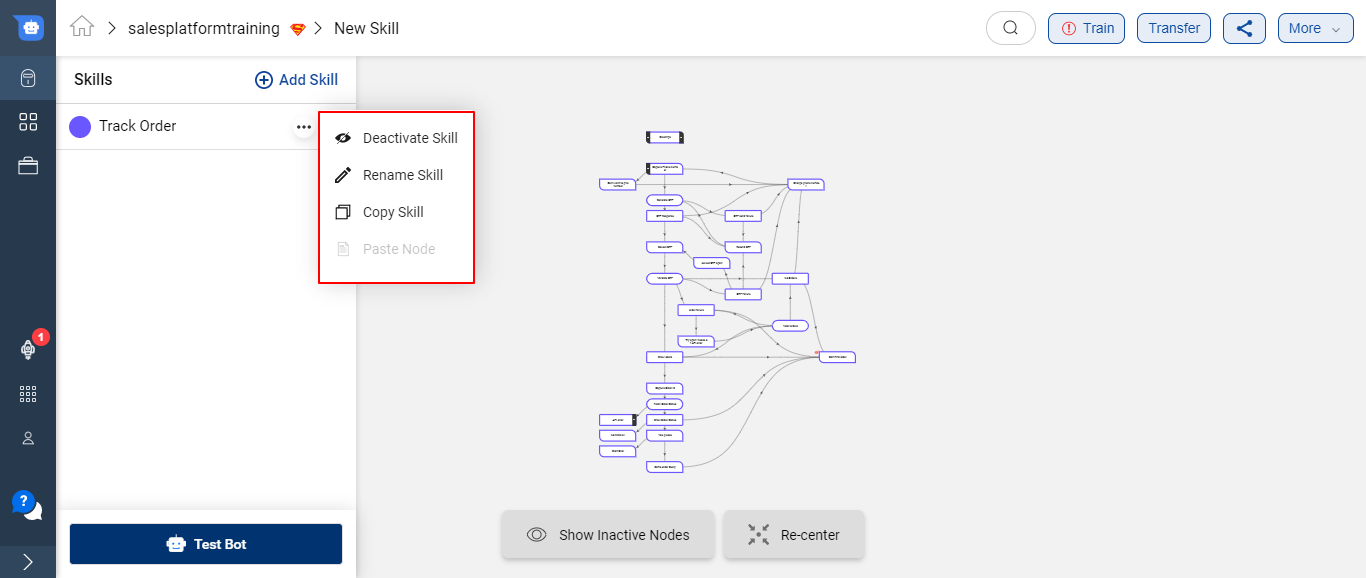
There are 4 options available for every Skill -
- Deactivate Skill - This will deactivate the selected Skill and the IVA will no longer respond to user queries from this Skill.
- Rename Skill - You can rename the selected Skill.
- Copy Skill - This option will allow you to copy the entire Skill and paste it on any IVA.
- Paste Step - This option will allow you to paste a step that you copied from another Skill.
You can read more about making changes to Smart skills here.
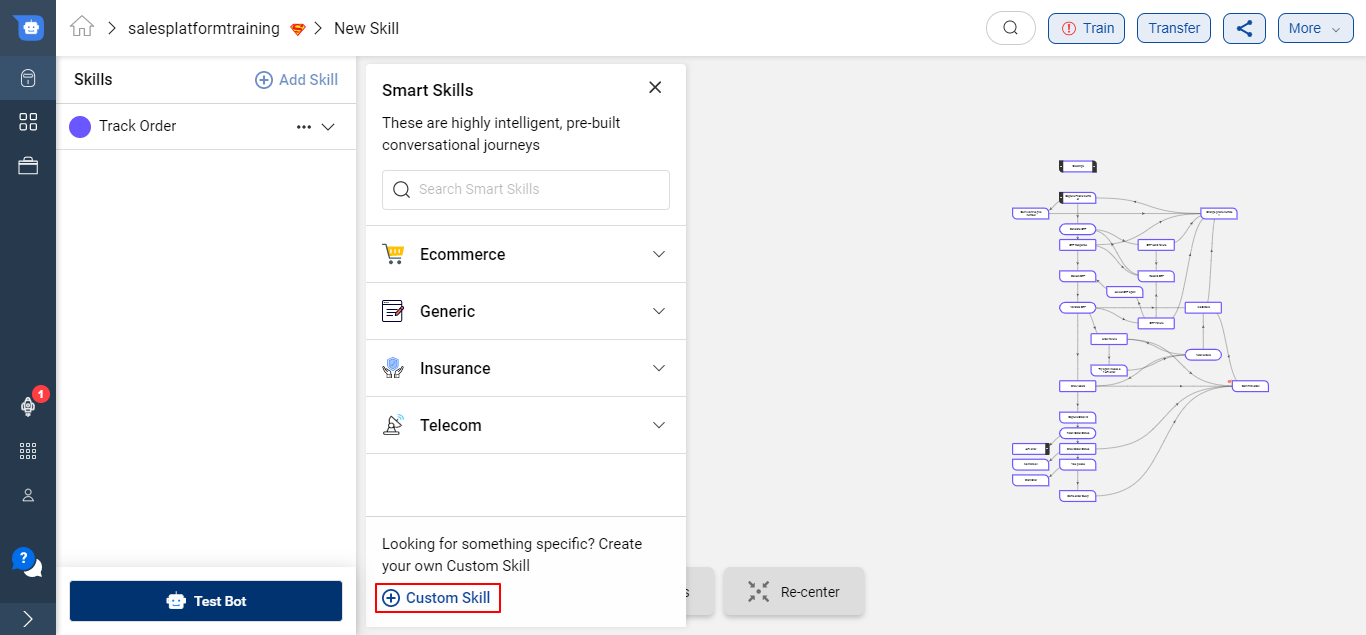
If you did not find a smart skill, as per your bot's requirements, you can also create a custom skill.
Create a Custom Skill
If the Smart Skills available on the Conversation Studio are not aligning with your use case, you can create a Custom Skill.
To add a Custom Skill, click on the + Custom Skill button. This button would be at the bottom of the modal which opens up with the click of + Add Skill button.
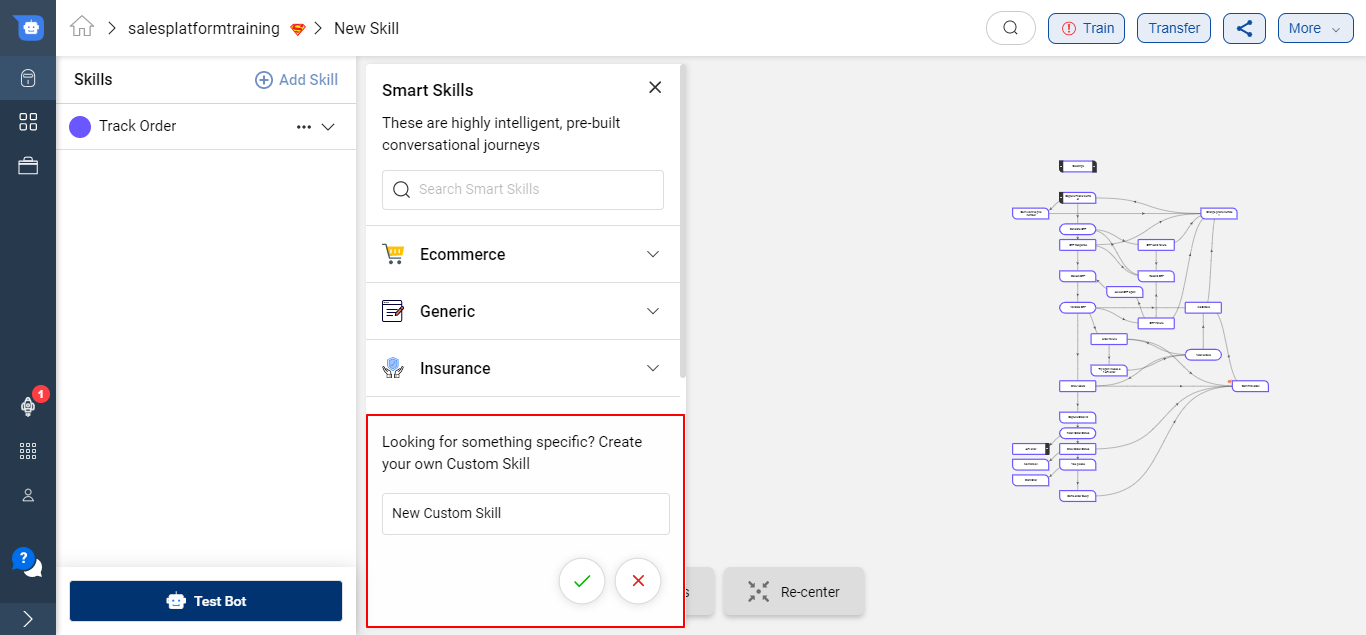
Provide the purpose of the skill i.e. name to your Custom Skill and click on the green tick
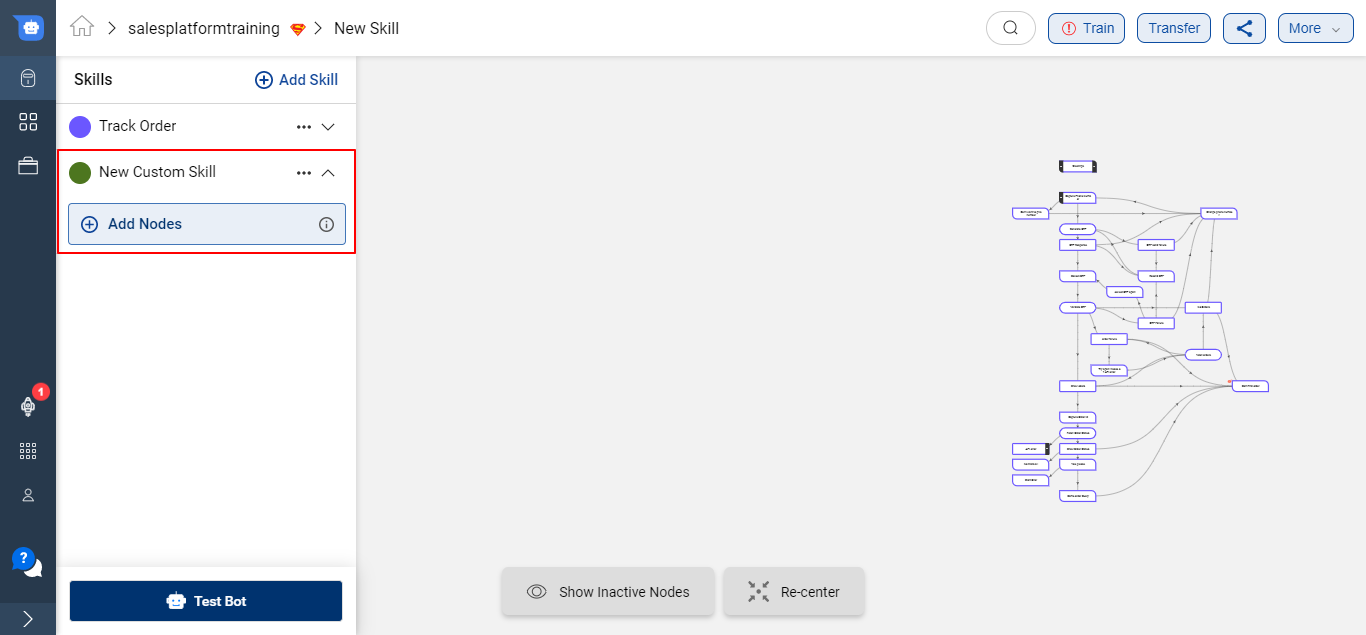
Once a new Skill is created successfully, you can start adding Steps to the skill to start creating your conversational journey. To know more about Steps, click here.
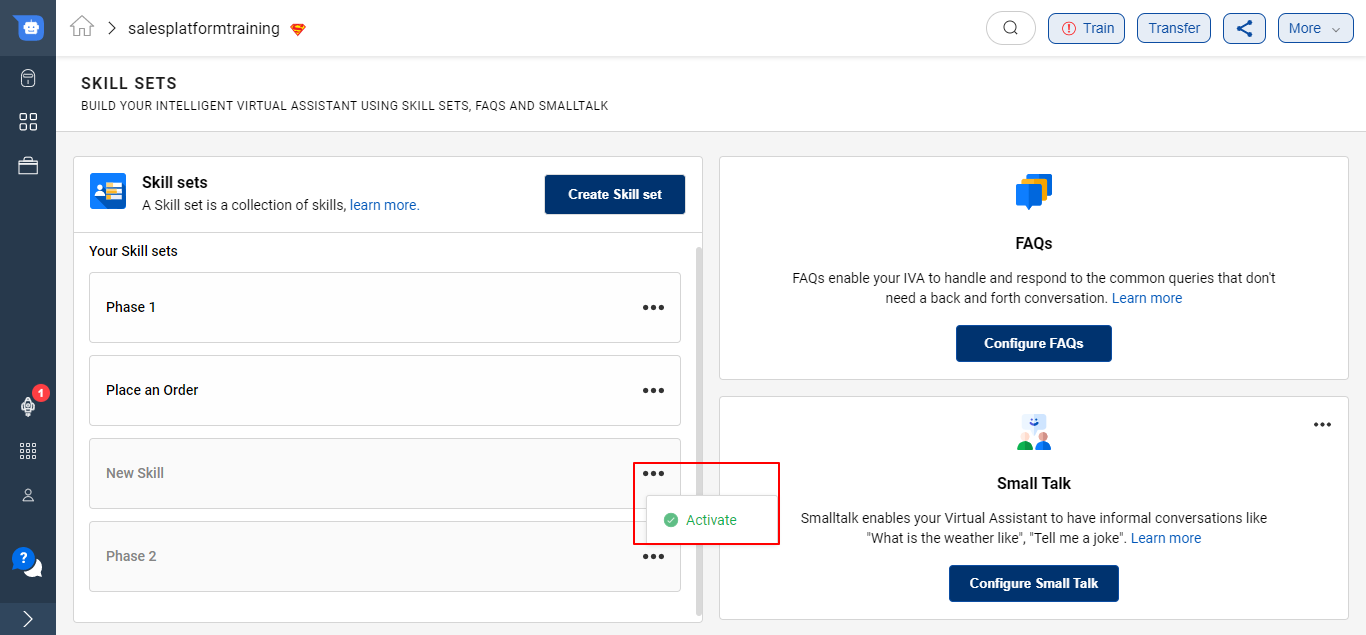
Activate/Deactivate a Skill Set
If your Skill Set is no longer required on your IVA, you can simply deactivate it, as shown below -
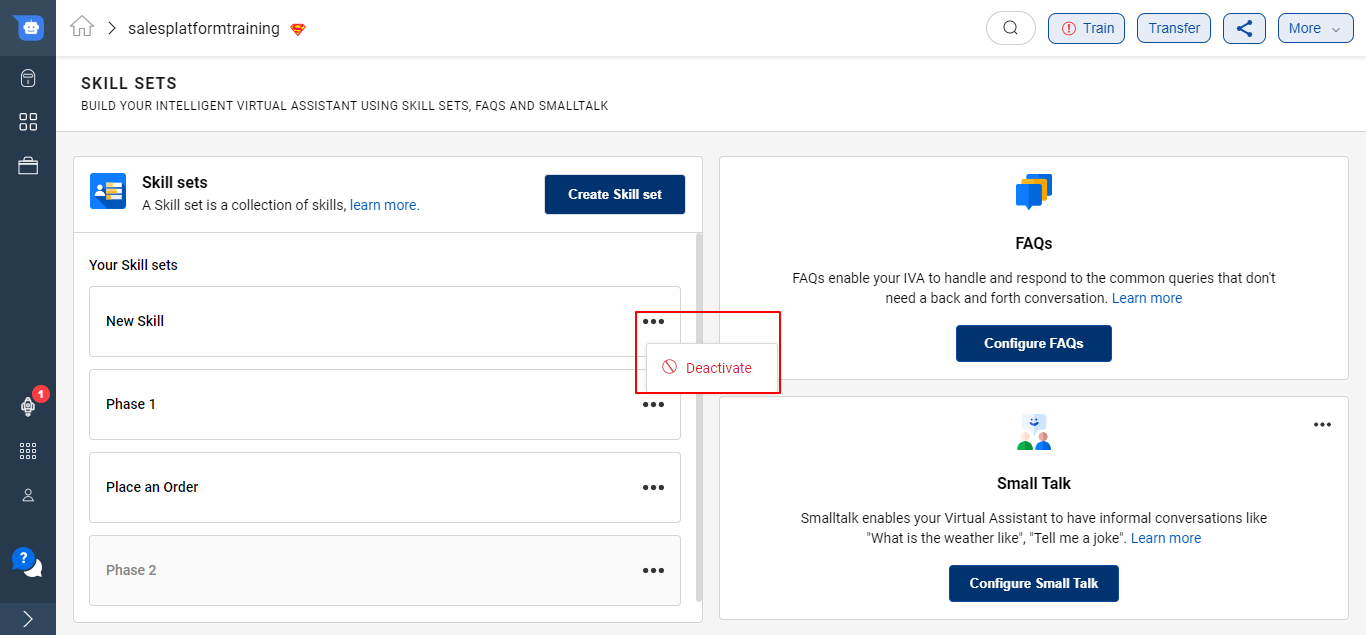
You can re-activate the Skillset in the following way -